
 By Robin Smith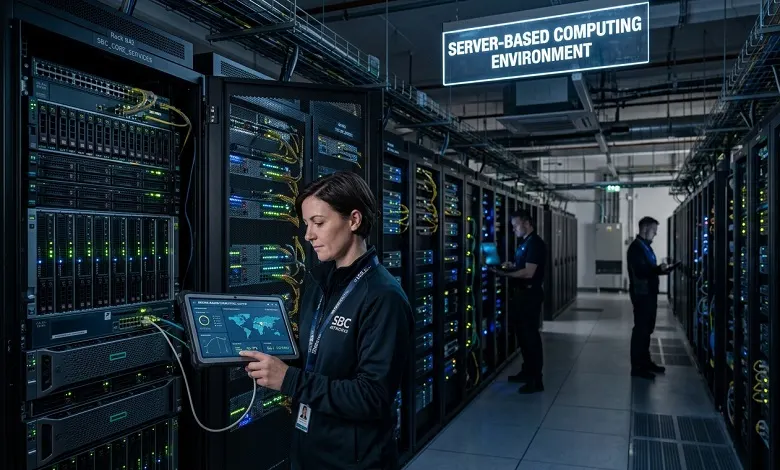
Server-based computing has become an essential part of modern IT infrastructure. Businesses of all sizes rely on centralized servers to deliver applications, manage data, and support remote work environments. Instead of running every program directly on individual devices, server-based computing allows users to access resources hosted on powerful servers through a network.
This approach improves security, simplifies management, and reduces hardware costs while providing employees with reliable access to business applications. Whether used by educational institutions, healthcare organizations, financial companies, or enterprises, server-based computing continues to play a major role in digital transformation.
Server-based computing is an IT model in which applications, files, and processing tasks are hosted on a central server rather than being executed entirely on local computers. Users connect to the server through desktop computers, laptops, tablets, or thin clients and access the resources they need.
In this architecture, the server performs most of the computing work while client devices act mainly as interfaces for displaying information and accepting user input.
A server-based computing environment typically consists of centralized servers located in a data center or company network. These servers host operating systems, business applications, and user data.
When a user logs in:
- The authentication system verifies credentials.
- The server creates a user session.
- Applications run directly on the server.
- Keyboard and mouse inputs are transmitted to the server.
- The processed display is sent back to the user’s device.
This process enables multiple users to share server resources while maintaining separate sessions.
Centralized Management
Administrators can install software, apply updates, and configure settings from one central location instead of maintaining hundreds of individual computers.
Remote Accessibility
Employees can securely access business applications from different locations using an internet connection or a private network.
Resource Sharing
Multiple users can utilize the same server infrastructure, reducing hardware duplication and improving efficiency.
Simplified Software Deployment
Applications only need to be installed on the server, making upgrades and maintenance significantly easier.
Data Security
Since important files remain on centralized servers, organizations can better protect sensitive information through backups, encryption, and access controls.
Scalability
Additional users and applications can often be supported by upgrading server capacity rather than replacing every workstation.
Reduced Hardware Costs
Client devices do not require high-performance specifications because most processing occurs on the server. Organizations can extend the lifespan of existing hardware or deploy affordable thin clients.
Easier Maintenance
IT teams spend less time updating software across multiple computers because changes are performed centrally.
Enhanced Security
Keeping applications and files on servers reduces the risk of data loss from stolen or damaged endpoint devices.
Better Backup and Recovery
Centralized storage makes scheduled backups more consistent and simplifies disaster recovery planning.
Improved Collaboration
Employees can access shared files and applications regardless of location, supporting hybrid and remote work models.
Consistent User Experience
Users receive standardized software environments, reducing compatibility issues and simplifying technical support.
Enterprise Business Applications
Large organizations host accounting software, customer management systems, and enterprise resource planning solutions on centralized servers.
Remote Work Environments
Employees working from home can securely access office applications without installing complex software locally.
Educational Institutions
Schools and universities provide students with access to shared applications and learning resources through centralized servers.
Healthcare Organizations
Medical facilities use server-based computing to securely manage patient records while maintaining regulatory compliance.
Financial Services
Banks and financial institutions rely on centralized systems for transaction processing and secure data management.
Government Agencies
Government departments often deploy server-based infrastructures to simplify administration and improve data security.
Call Centers
Customer service representatives can log into centralized desktops from different locations while accessing the same business applications.
Traditional desktop computing relies on applications being installed individually on each computer. Every workstation requires its own updates, security patches, and maintenance.
Server-based computing centralizes these responsibilities, making administration more efficient while improving consistency and reducing management costs.
However, server-based environments depend heavily on reliable network connectivity and properly maintained server infrastructure.
Although they share similarities, server-based computing and cloud computing are not identical.
Server-based computing often uses privately managed servers owned by an organization, while cloud computing delivers computing resources through external providers over the internet.
Many businesses combine both models by hosting some workloads internally while moving others to cloud platforms for greater flexibility.
Organizations adopting server-based computing frequently experience:
- Lower IT management costs
- Simplified software licensing
- Stronger centralized security
- Faster deployment of applications
- Easier compliance management
- Improved business continuity
- Better resource utilization
- Flexible remote access
These advantages make server-based computing particularly attractive for growing businesses.
Potential Challenges: Despite its benefits, server-based computing also presents certain challenges.
Network Dependency: Users require reliable network connectivity to access hosted applications.
Initial Infrastructure Investment: Deploying enterprise servers and networking equipment can require significant upfront spending.
Server Performance Bottlenecks: If server capacity is insufficient, multiple users may experience slower performance.
Single Point of Failure: Without redundancy and backup systems, server outages can affect many users simultaneously.
Specialized Administration: Managing centralized environments often requires experienced IT professionals.
Organizations planning server-based computing deployments should follow several best practices.
Invest in Reliable Hardware: Enterprise-grade servers improve stability and long-term performance.
Implement Strong Security: Use multi-factor authentication, encryption, firewalls, and regular security updates.
Monitor Performance: Track CPU usage, memory consumption, storage capacity, and network utilization to identify potential bottlenecks.
Maintain Regular Backups: Automated backup schedules help protect critical business data.
Plan for Scalability: Design infrastructure that can accommodate future growth without major disruptions.
Train Employees: Educate users on secure access procedures and organizational security policies.
Modern server-based computing continues to evolve with virtualization, artificial intelligence, and hybrid cloud technologies.
Organizations increasingly deploy virtual desktop infrastructure (VDI), containerized applications, and software-defined networking to improve flexibility and efficiency.
Automation tools also simplify server management by handling updates, monitoring, and resource allocation with minimal manual intervention.
As cybersecurity threats continue to grow, centralized security management and zero-trust architectures are expected to become even more important in server-based environments.
Server-based computing remains a powerful solution for organizations seeking centralized management, improved security, and cost-effective IT operations. By hosting applications and data on dedicated servers, businesses can simplify maintenance, enhance collaboration, and provide secure access for employees regardless of location.
Although careful planning and infrastructure investment are necessary, the long-term advantages often outweigh the challenges. As technology continues to evolve, server-based computing will remain a key component of modern enterprise IT strategies, supporting productivity, scalability, and digital transformation across industries.
A. Server-based computing is a model where applications and data are hosted on centralized servers, allowing users to access them through network-connected devices.
A. Key benefits include centralized management, improved security, lower hardware costs, simplified maintenance, and easier remote access.
A. No. Server-based computing typically uses centralized servers managed by an organization, while cloud computing delivers resources through external service providers over the internet.
A. Healthcare, education, finance, government, manufacturing, and large enterprises frequently use server-based computing to manage applications and data securely.
A. Yes. Small businesses can reduce maintenance costs, improve data security, and simplify software management by adopting server-based computing solutions.